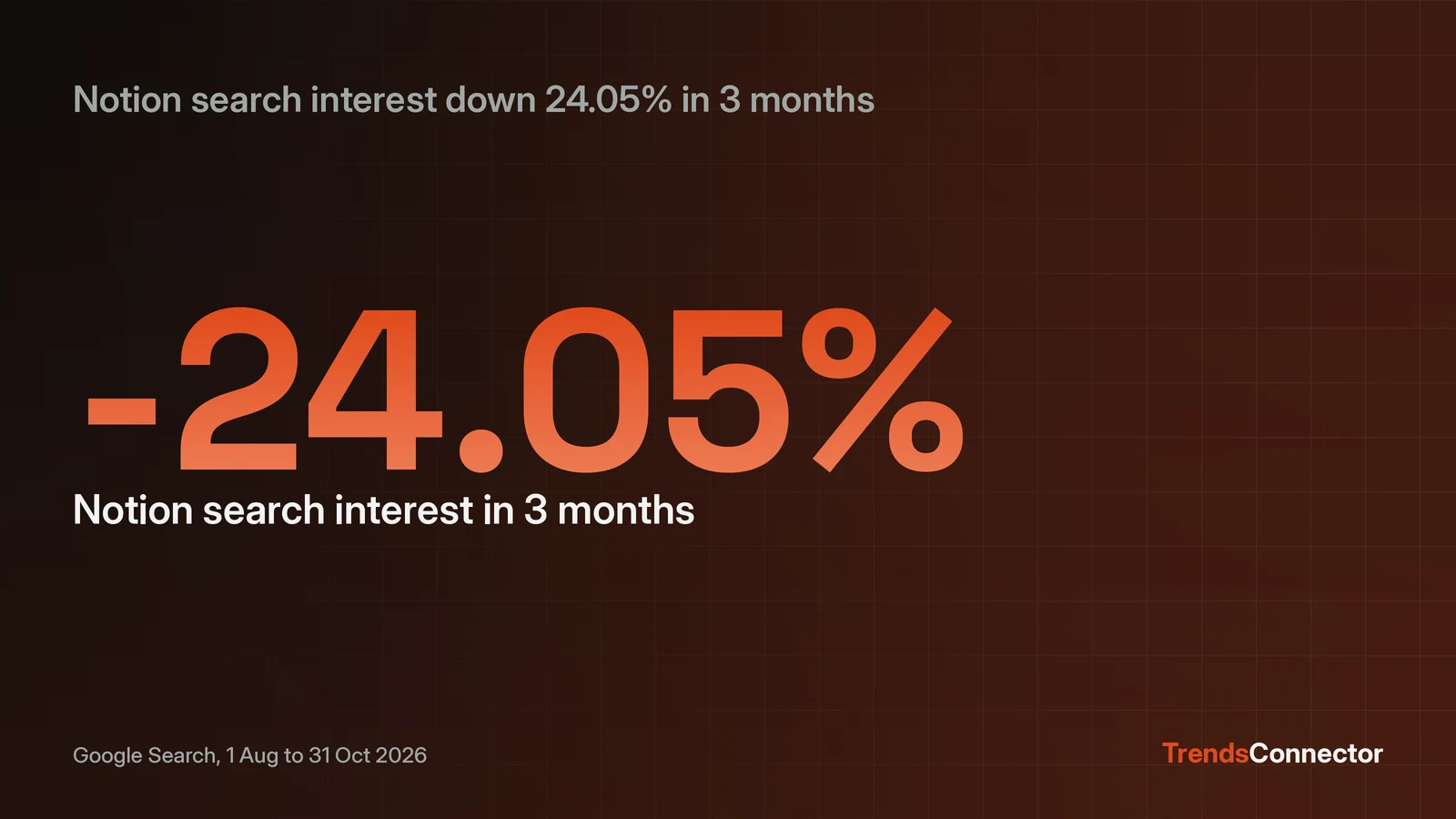
Notion Agent connects to TrendsConnector as a custom MCP server, so trend data arrives in a Notion chat instead of a separate tab. Open Settings, then Connections, then the Discover tab, and select Add Custom MCP. Name the server TrendsConnector, set the server URL to https://api.trendsconnector.com/mcp, and authenticate with a Bearer token holding a TrendsConnector API key. A free key allows 100 requests each month and asks for no card. The connection needs a Business or Enterprise plan, and a workspace admin must allow custom MCP servers. Once it is live, ask "Using TrendsConnector, is Notion demand rising or falling?" The first reply is a number: Google Search interest in "notion" fell 24.05 percent over three months, from an index of 79.0 on 1 August 2026 to 60.0 on 31 October 2026.
Notion Agent is the client, and it needs a Business plan
MCP connections in Notion Agent are available on Business and Enterprise plans only, and only on web and desktop. Notion's own help page states both limits plainly, and adds a third: a workspace admin decides whether members can add custom MCP servers at all. If the plan or the admin setting blocks the setup, no field value fixes it, so check those two gates before touching any settings.
The connection belongs to the person who creates it. Each teammate connects with their own TrendsConnector key, and each person's Notion Agent sees only what that person can see. A connected server shows under All sources, then MCP servers, in chat. Disconnecting from Settings, then Connections, stops the agent using it right away.
Add TrendsConnector as a custom MCP server
Three values make the connection: a name, a server URL, and the API key as a Bearer token. 1. Get a key at trendsconnector.com: Start free asks for an email address, sends an 8-digit code, and that code becomes the API key. The free tier allows 100 requests a month and asks for no card. 2. In Notion, go to Settings, then Connections, then open the Discover tab. 3. Select Add Custom MCP. If the button is missing, the workspace admin has not allowed custom servers; ask an admin to turn it on. 4. Name the server TrendsConnector. 5. Server URL: https://api.trendsconnector.com/mcp 6. Authentication: Bearer token. Enter the TrendsConnector API key in the token field. 7. Save, then open a Notion Agent chat, select All sources, then MCP servers, and confirm TrendsConnector appears in the list.
Notion's help page says the connection window asks for the details from the app's MCP documentation, and the TrendsConnector endpoint above is the one its other key-based clients use. If the agent ignores the connection in a chat, name it in the question: "Using TrendsConnector, ..." tells the agent which server to call.
The first question returns a number, not a paragraph
Ask "Using TrendsConnector, is Notion demand rising or falling?" The agent runs get_growth for "notion" on Google Search, and the reply is two dated points and a percentage. Pulled 6 November 2026, the answer was: 3 months, down 24.05 percent, from 79.0 on 1 August 2026 to 60.0 on 31 October 2026; 12 months, down 26.83 percent, from 82.0 on 1 November 2025 to 60.0 on 31 October 2026. Both windows end at the same recent value, 60.0 on 31 October 2026. That pattern fits a slide across the year rather than a single bad month, though the two endpoints alone do not show the path between them.
That shape is what makes the answer useful in Notion: a number with two dates attached, ready to paste into a page or a planning note. The same call accepts another keyword and returns the same dated comparison. Swap "notion" for a competitor or a product category and the agent returns the same dated comparison.
Ask for a board when there is no keyword
A board answers a question that has no keyword at all. "Using TrendsConnector, what is trending on Google right now?" calls get_top_trends and returns the live ranked board. The board returned on 6 November 2026, as of 4 November 2026, opened with "2026 U.S. election results" at rank 1, followed by "james talarico", "michigan senate race", "gina hinojosa" and "native american heritage month". The free plan shows the top 10 rows of each board with a 24-hour delay, so the exact rows differ from what a paid plan sees on the same day.
Boards suit a morning check inside Notion: one question, five names, no keyword to choose. The same key reaches 27 platforms and 53 data series, from TikTok hashtags to Amazon best sellers, so the board can change per question without any new setup.
What the free key covers
A successful time series call spends one request, and a successful growth call spends one request however many windows it covers. Top trends spends one request per 10 rows over MCP, with a 10-row cap per call, and one request per call over REST. Calls that fail spend nothing, and only successful calls draw down the monthly pool.
With a monthly pool of 100 requests, a daily growth question leaves room to spare: one question a day for a month is about 30 requests. Starter, at 19 dollars a month as of November 2026, raises the pool to 1,000 requests, adds real-time boards, and includes 10 keyword alerts. The full client list shows the other assistants and tools that connect over MCP, and the Google Trends data page explains what sits behind each board.
On a Free or Plus plan, pair Claude with Notion instead
MCP connections inside Notion Agent need Business or Enterprise, so a Free or Plus workspace takes a different route: connect Claude to both TrendsConnector and Notion, then ask Claude to write the answer into a Notion page. Claude connects to TrendsConnector at https://trendsconnector.com/mcp through sign-in, and to Notion's hosted MCP server at https://mcp.notion.com/mcp through OAuth. The Claude setup page carries the TrendsConnector side of that pair.
The question stays the same, and the answer still lands in Notion, only the agent doing the asking sits in Claude rather than in Notion Agent. It is one extra step, and the first answer is the same.