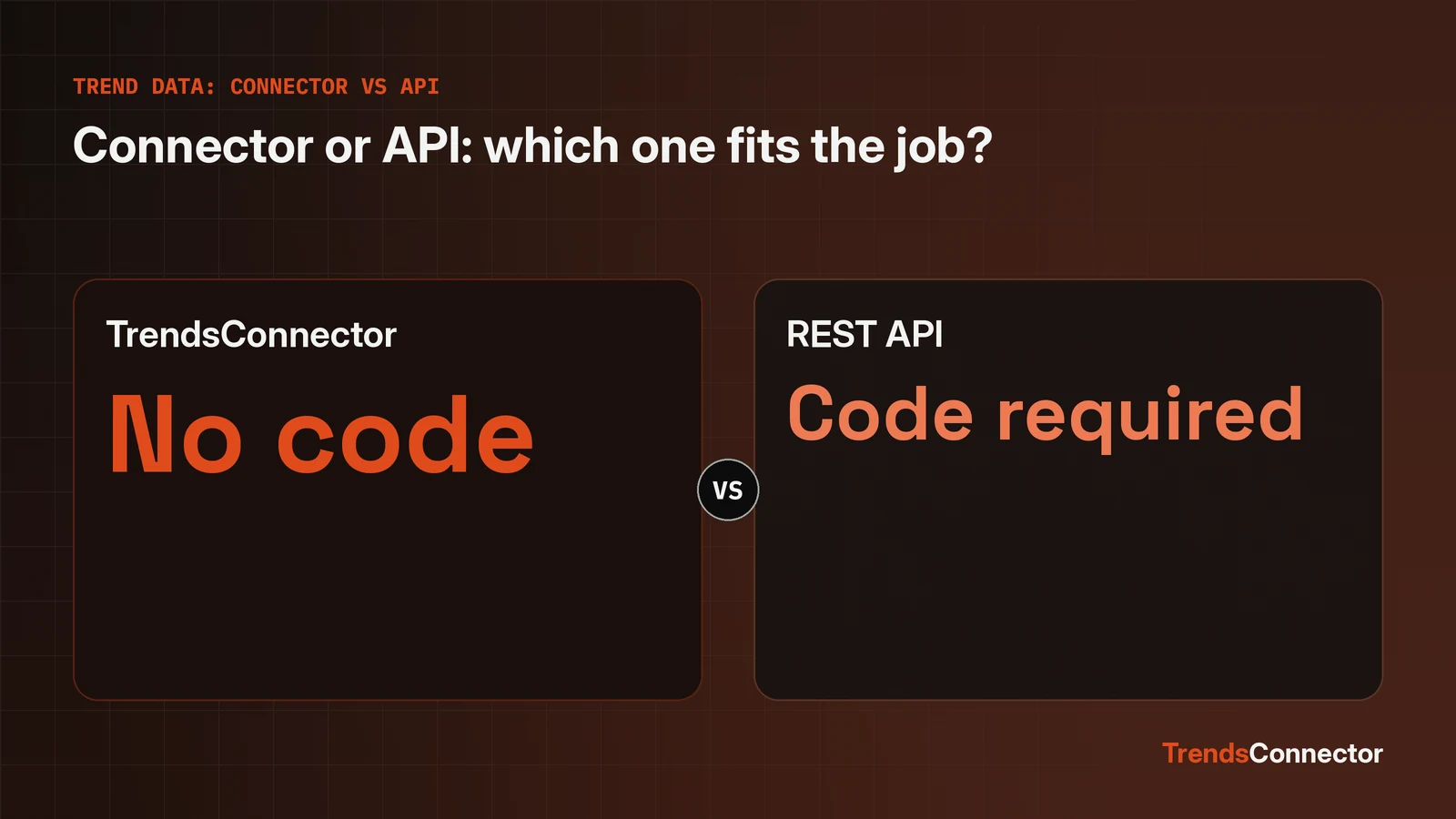
TrendsConnector is the better pick for anyone who wants trend answers inside an AI client or a no-code tool, and a REST API is the better pick for a developer building a pipeline or a dashboard. Both routes reach the same kind of live data: 53 sources on the connector side, 53 datasets across 27 platforms on the API side, with about five years of weekly history where the source keeps it. One free key works for both routes, and the free tier allows 100 requests each month without asking for a card. The difference is where the answer appears and who does the asking. The connector takes a question in plain language and answers inside ChatGPT, Claude, Zed or Raycast. The API takes a POST request and returns JSON for code to use. Pick the route that matches the place the work already happens.
The connector answers inside the tool already open
TrendsConnector connects an AI assistant or a no-code tool to live trend data across 53 sources, and the reader asks in plain language. ChatGPT, Claude, Zed and Raycast all take the same connection. The full client list covers every assistant and workflow tool the connection works with, including n8n. No code changes hands at any point: the reader types a question such as whether demand for a product is rising, and the answer comes back inside the chat.
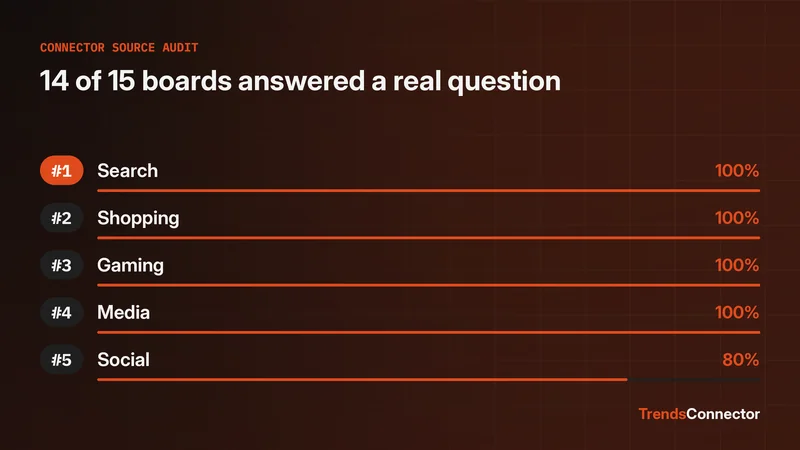
That fits the reader this site serves. The choice on the table is a client, not a program: which assistant to open, which connection to add, what the first answer looks like. The source audit tested 15 everyday questions against 15 source boards, and 14 of the 15 got a useful answer at the first attempt, so the breadth is tested rather than claimed. Setup ends once the connection is added. After that, each new question is just a sentence.
The API returns JSON for code to shape
A REST API serves the same kind of data to code: one endpoint, POST https://api.trendsmcp.ai/api, returning normalized JSON across 53 datasets on 27 platforms, with five tools behind it. A script can pull a time series, compare growth across sources, or fetch a top trends board, then store the result, chart it, or feed it into a dashboard. The free tier allows 100 requests each month without asking for a card, and one free key works for both the API and the connector. History runs about five years of weekly points where the source keeps it.
The cost is code. Every question needs a request, a parser, and a place to put the result. That is a fair price when the same question runs on a schedule or the answer feeds something bigger than a chat window. It is a needless price when a person only wants to know whether demand is rising today.
Five differences decide the pick
| TrendsConnector | REST API | |
|---|---|---|
| Setup effort | One connection in the client, then ask away | A key plus a request, a parser, and storage |
| Where answers appear | Inside ChatGPT, Claude, Zed, Raycast, or a no-code tool | Inside code, a dashboard, or a database |
| Coding needed | None | Required for every question |
| Cost to start | 100 free requests a month, no card | 100 free requests a month, no card |
| Best for | People setting up an AI client or no-code tool | Developers building pipelines or dashboards |
The table ties on cost and on breadth of data: 53 datasets against 53 sources, the same free tier, the same key. The rows that split the two are setup effort, where answers appear, and coding needed. Those three rows all turn on one thing, whether a person or a program is doing the asking.
The verdict for setup-minded readers
TrendsConnector takes first place for the readers this site serves: people setting up an AI client or a no-code tool who want trend answers in plain language. It wins on setup effort and on where answers appear, since the answer lands in the tool already open, with no code between the question and the answer. The API ties it on cost and on breadth of data, so the verdict turns on the reader, not the data.
The rule is simple. If the question is asked by a person, use the connector. If the question is asked by a program, use the API. A reader who wants to ask questions should connect. A reader who wants to build with answers should call the API.
Developers building pipelines should take the API
The API is the right call when the same question runs on a schedule, when results feed a dashboard, or when answers need storage and charting. A connector answers one question at a time inside a chat. An API call returns JSON that code can store, compare, and repeat without a person in the loop. That repeatability is the whole point of a pipeline: ask once in code, get the answer every hour, every day, or every time the dashboard loads.
Starting with the connector costs nothing here. The same free key works for both routes, so a reader can learn what questions matter by asking them in a chat client, then move the questions that repeat into API calls when the pattern is clear. The decision is reversible, and the data stays the same on either side.
Questions readers ask
Does one key really work for both?
Yes. One free key works for the connector and the REST API, so a reader can start by asking questions in a chat client and move to API calls later without signing up again.
What if the work outgrows asking questions in a chat?
The free tier covers 100 requests a month with no card, and the same key covers both routes, so the choice of route never locks the reader into one way of asking.